Ski King is a timed downhill skiing game from Inlogic Software. Each course asks you to balance a short route with flag rules, trees, rocks, and icy ground.
Every flag must be passed on its marked side; a wrong pass resets the level. Upgrade points let you improve skiing skills, then revisit the course to chase a quicker finish.
Developer: Inlogic Software s.r.o.Skiing · Time trialReleased: March 12, 2021
How to play Ski King
Game controls
Action
Input
Steer
Left / Right arrow keys
Menus / upgrades
Mouse or touch
Choose
Select a language, open Play, and start an available course. Use the mouse or touch for menus and upgrades.
Carve
Steer with Left and Right. Look beyond the next flag so you can reach its marked side without a last-second swerve.
Route
Find a short line around trees and rocks, leaving room to adjust as you cross icy ground.
Improve
Finish the course, check your time, and use upgrade points before trying the route again.
Tips and strategy
Plan the exit
Approach a flag with the following turn in mind. A legal pass can still leave you badly placed for the next one.
Cut distance carefully
Choose a shorter line only when it leaves enough space for a correct flag pass and a clear path around hazards.
Practice one section
Repeat a troublesome turn until the approach feels reliable, then work on reducing your finishing time.
Ski King vs Ski Rush
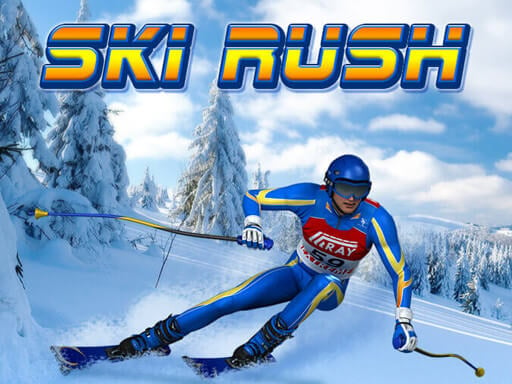
Ski King asks you to complete a marked course with a fast time. Every flag must be passed on its correct side; a wrong-side pass resets the level. Ski Rush instead focuses on staying on the slope and collecting flags for points.
Ski King shows Left and Right arrows for carving; its menu interactions use mouse or touch. Ski Rush uses mouse or touch to steer during the descent. Choose the steering method you want to practice when switching games.
Choose Ski King to practice a course, refine flag approaches, and compare finishing times. Choose Ski Rush for an ongoing descent where you decide which scoring flags are worth reaching. Try Ski Rush or browse the Ski Games collection.
Use the Left and Right arrow keys to steer down the course. The mouse or touch is used for menus and upgrades, so those interactions are separate from carving on the slope.
Why does Ski King reset my level at a flag?+
Passing a course flag on the wrong side resets the level. Check the marked side before you turn; simply passing close to the flag is not enough to complete that part of the route.
What do upgrade points change?+
Upgrade points improve your skiing skills and let you adjust your style between attempts. They do not replace the flag rules, so you still need to learn a valid route through each course.
How do I improve my finishing time?+
Look for a short, valid route through the flags while avoiding trees and rocks. First make a reliable pass through the difficult sections, then trim unnecessary turns instead of taking a shortcut that resets the level.
How is Ski King different from Ski Rush?+
Ski King centers on timed courses with flags that must be passed on the correct side. Ski Rush is a survival run where flags add points, making it a different choice when you want to keep a run going rather than refine a finishing time.
Can I play Ski King for free without installing it?+
Yes, Ski King runs for free in the browser player above. Start a course inside that window; you do not need a separate app to use the menus or play the skiing game.